


WiseMCP AI Assistant for WISECP
AI-powered administration for WISECP via ChatGPT and MCP
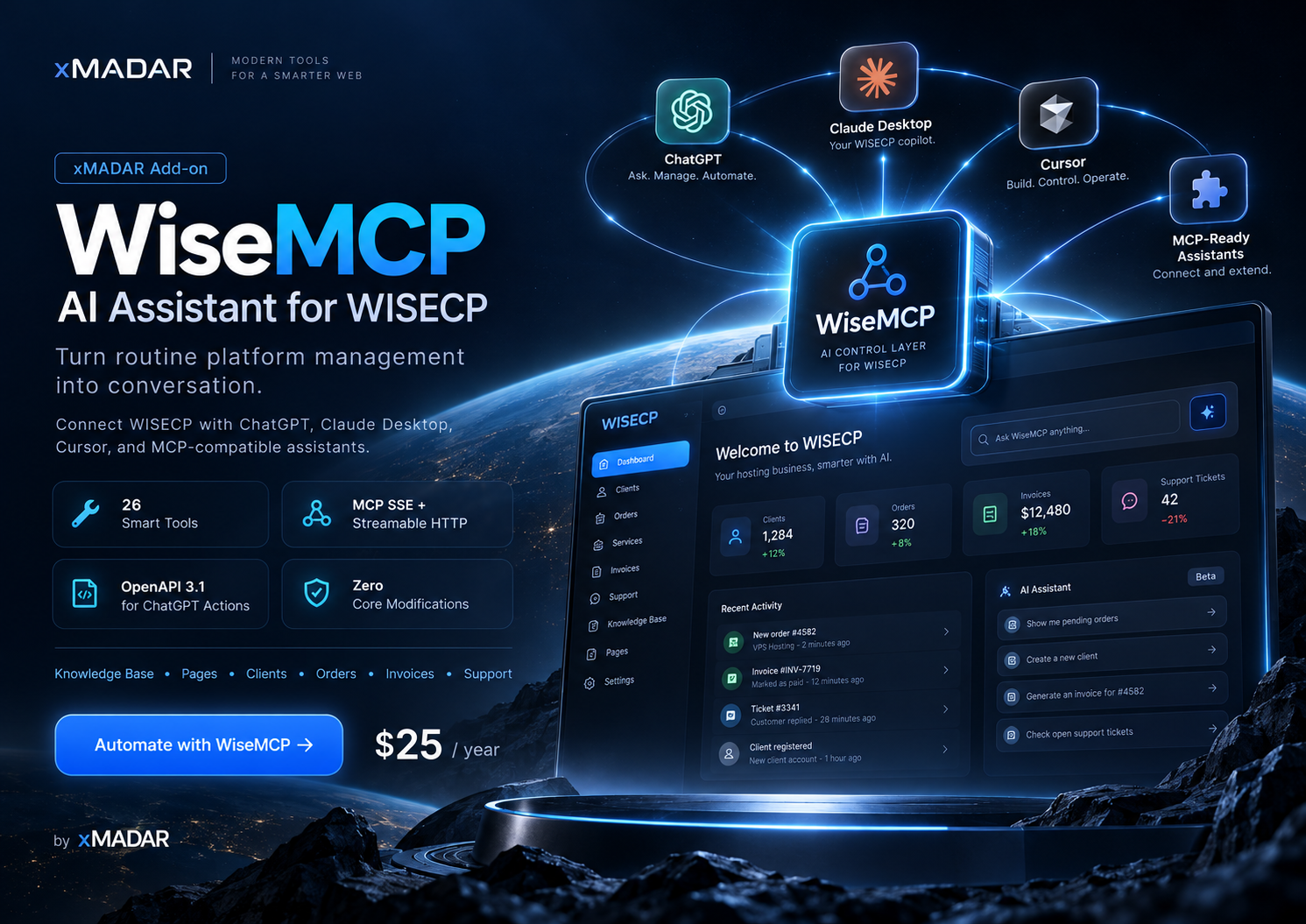
WiseMCP AI Assistant for WISECP
WiseMCP is a professional WISECP addon that exposes your billing platform to ChatGPT, Claude Desktop, Cursor, and any Model Context Protocol (MCP) compatible AI assistant. It turns routine administration into a conversation: ask your AI assistant to manage knowledgebase articles, website pages, clients, orders, invoices, support tickets, and system health - all without modifying WISECP core files.
Key Features
- 26 AI Tools: list, get, create, update and delete operations across six major modules plus system overview and language discovery.
- Dual Protocol: MCP over SSE and Streamable HTTP (JSON-RPC 2.0) for desktop clients, and an auto-generated OpenAPI 3.1 schema for ChatGPT Custom GPT Actions.
- Knowledgebase Management: search and paginate articles, retrieve every translation, create and update multilingual articles, delete with explicit confirmation, list categories.
- Website Pages: manage normal, contract, news, articles-reference and reference pages with localized titles and HTML content.
- Client Management: search clients, view profiles, update contact details and status (active, inactive, blocked), attach internal admin notes.
- Order Management: filter by status and client, view details and line items, approve / activate / cancel with optional provisioning-module execution, update notes.
- Invoice Management: filter invoices, view totals and items, record manual payments.
- Support Tickets: filter tickets, read full threads, send admin replies, change ticket status.
- System Overview: pending orders, unpaid invoices, waiting tickets, PHP and WISECP version, active languages.
- Multilingual Content: create and edit content in every active WISECP language with auto-generated SEO fields.
- Granular Scopes: enable only the modules the AI agent should manage (articles, pages, clients, orders, invoices, tickets).
- Security & Auditing: Bearer token authentication, scope enforcement, per-IP rate limiting, annual license verification, explicit confirmation for destructive actions.
- Zero Core Modifications: ships as a standard WISECP addon and clears cache automatically.
- Admin Dashboard: copy-ready OpenAPI URL, MCP SSE URL and API token with a 3-step ChatGPT setup guide.
Compatibility
- WISECP 3.0 and newer
- PHP 8.0 or higher (recommended 8.1 to 8.3)
- MySQL or MariaDB (as supported by WISECP)
- AI clients: Claude Desktop, Cursor, ChatGPT Desktop, ChatGPT Custom GPTs
License: Annual subscription, 25 USD per year. Includes updates and support for the license period.
Connect ChatGPT, Claude Desktop, Cursor, or any MCP-compatible assistant to your WISECP installation. Manage knowledgebase articles, website pages, clients, orders, invoices, and support tickets with 26 AI tools - zero core modifications, scope-based security, rate limiting, and full multilingual content support.
Installation
- Download the WiseMcp addon archive from your xmadar.com client area.
- Upload and extract it into
modules/Addons/WiseMcpof your WISECP installation (or install via the WISECP module manager). - In the admin area go to Tools → Addons, find WiseMCP & ChatGPT Assistant, and click Activate.
- Open the module settings and enter your xmadar.com License Key.
- Copy the generated Secret API Token (or set your own), then configure allowed scopes and the rate limit.
- Click Save.
Connect to ChatGPT (Custom GPT Actions)
- Go to ChatGPT → Explore GPTs → Create a GPT.
- In Configure, scroll to Actions and click Create new action.
- Click Import from URL and paste the OpenAPI 3.1 URL from the module dashboard; click Import.
- Set Authentication to API Key → Bearer and paste your Secret API Token.
- Save the GPT.
Connect to Claude Desktop / Cursor / ChatGPT Desktop (MCP)
- Open your client MCP configuration.
- Add a server entry pointing to the MCP Server Endpoint (SSE) URL from the module dashboard.
- Provide the Secret API Token as a Bearer token.
- Restart the client and call
wisecp_get_system_overviewto verify.
- 1.0.0 - Initial release: 26 AI tools across articles, pages, clients, orders, invoices, tickets and system overview; MCP over SSE and Streamable HTTP; auto-generated OpenAPI 3.1; multilingual content management; scope-based access; per-IP rate limiting; annual license verification; admin dashboard with setup guide.
Each license covers one domain. For additional sites, buy a separate license per domain; volume discounts are available through sales.
Yes. The download contains the complete, unencrypted source. You can host it anywhere that runs PHP and MySQL and customize it freely for your own project.
New versions appear in your client area while your license is active. If you cancel, the script keeps working but stops receiving updates and support.
Yes, installation on your hosting is included with every purchase. If you host with us, the script can be deployed to your service automatically at checkout.
WiseMCP AI Assistant for WISECP
- Connect ChatGPT, Claude Desktop, Cursor, or any MCP-compatible assistant to your WISECP installation. Manage knowledgebase articles, website pages, clients, orders, invoices, and support tickets with 26 AI tools - zero core modifications, scope-based security, rate limiting, and full multilingual content support.
$25 Annually
1 views
Product Details
| Released | 16 October 2026 |
|---|---|
| Last Update | 16 October 2026 |
| Version | 1.0.0 |
| Built With | PHP 8.0+, WISECP 3.x, MySQL/MariaDB |
| License | 1 domain, full source code |
| Updates | Included while active |
System Requirements
- WISECP 3.0.0 or later
- PHP 8.0 or higher (8.1 to 8.3 recommended)
- MySQL 5.7+ or MariaDB 10.3+ (as required by WISECP)
- PHP cURL extension (used for license verification)
- Admin account with addon management privileges
- HTTPS on the installation domain (recommended for secure API access)
Tags
WiseMCPChatGPTMCPAI AssistantWISECP Addon
Other Products
Browse All ProductsWISECP Licence Request
Software Licences $7 Monthly
Contact
Reach Sales & Support
Ask about servers, managing your project or technical support.